Why Engineering Knowledge Walks Out the Door
WEBINAR: Automating Design Changes Across Product Lines at Scale
 LOGIN |  REGISTER

SmartDesignServer

The Solution for Rapid Customization

SmartDesignServer is a software program which enables Creo to become a complete on-line Design-to-Order system, without the need for lengthy and costly development. It provides the communication pathway needed to develop integrated automation platforms and manage the data communication between these different applications.

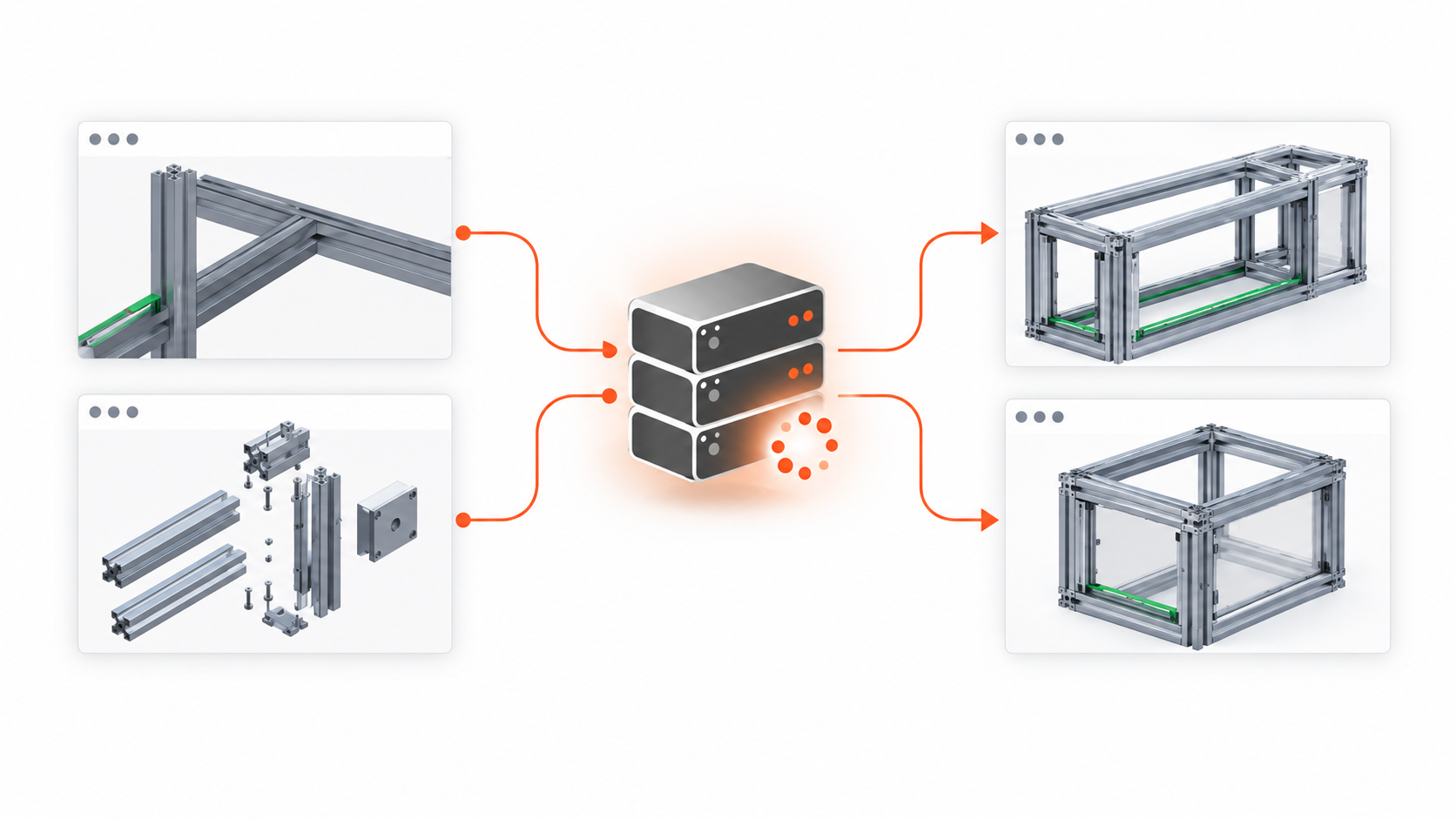
A single Creo user can manually create a generic model with related documentation and geometry which SmartDesignServer can use to generate different versions of a product. Automated parts and assemblies make it possible to manage features and components to rebuild geometry.  New users or even the sales team can make predefined changes to complex models without first having to sort through the entire design to find the correct feature or dimension to change.

Key Features

  • Complete Design-to-Order system with integration Creo to enterprise systems
  • Lightweight
  • Streamlined Application Framework
  • No need for Creo API programming or complex client/server programming
  • Bi-directional communication between Microsoft and Creo
  • One Creo license serves multiple users
  • Fully automatic data generation in Creo
  • LAN/Internet driven

How It Works

  • Search for components graphically or by parameter info
  • A Customer or Sales Rep.. can use SDS Selector or in house  Configurator,  or any other data gathering method to make product selections
  • The web client sends the data to the SmartDesignServer, which can be anywhere (even a different continent)
  • The server compiles the necessary information using Creo, MS Word, and/or any other user accessible application
  • The deliverables are sent to the client or to pre-defined locations
  • The deliverables can be a quote, Creo Models or Drawings, PDF files, DXF files, NC Programs, shearing/cutting lists, BOM for ERP/pricing, 3D renderings, or any other type Sales or Engineering  information

Key Benefits

  • Extremely short ROI to a complete Design-to-Order system
  • Fast implementation timeline: no need for year-long development projects
  • No complex server installation, portals or databases
  • Open architecture allows for easily available talent for customization or for integration to existing infrastructure
  • Ready for future growth and upgrades - XML-based environment protects your investment in SmartDesignServer
  • Does not restrict the customization of the client UI

SDS Web Selector

Personalized Product Selection Tool

Enable your customers to adapt the components and properties of your product to a finished product which optimally meets their needs and requirements.  Logically map your components in an easy to user interface.  Integrate into your companies business systems to leverage the power to enrich the product life cycle process.  

Easy to use and implement allows your company to fully own the sales process.  SDS web selector is designed to leverage the complexity of engineered products by using Creo.

Key Features

  • Integrate business Systems to selection results
  • Lightweight
  • Increased order accuracy with visualization
  • Reduce Order Complexity with logical selection sequencing
  • Nested Ordering Capability
  • Verify Order Accuracy
  • Specific User accounts with privileges

How It Works

  • Ability to Personalize web selector to match company motifs
  • Create user accounts to allowable product selection and record order history
  • Send the resultant data strings to SmartDesignServer, which can be anywhere (even a different continent) to build CAD data
  • User can select complex engineered order to orders including nested configurations
  • The deliverables are sent to the client or to predefined locations
  • The deliverables can be a quote, Creo Models or Drawings, PDF files, DXF files, NC Programs, shearing/cutting lists, BOM for ERP/pricing, 3D renderings, or any other Sales or Engineering information

Key Benefits

  • Fast implementation timeline: no need for year-long development projects
  • No complex server installation, portals or databases
  • Open architecture allows for easily available talent for customization or for integration to existing infrastructure
  • Ready for future growth and upgrades - XML-based environment protects your investment in SmartDesignServer
  • Does not restrict the customization of the client UI

SmartAssembly for Creo

Rules Based Design Automation

SmartAssembly is a process capture tool made for designers. A Creo users can be trained to create automation applications in a simple easy to understand language. Most applications can be written in a few paragraphs

Key Features

  • Automatic creation & configuration of new parts and sub-assemblies, then automatically assembling them
  • Automatic assembly of newly created or existing parts or sub-assemblies
  • Creation of part level features
  • Support for part family tables and assembly level family tables 
  • Dimensional information provided thru user input or automatically from the program 
  • Automatic relations from analysis features when assembling a component 
  • All components and features created still have full redefine or edit definition capability 
  • When a component is removed, the associated relations are also removed
  • Rich programming flexibility – loops, conditional statements, variables, etc.
  • Manufacturing and Drawing Automation Support 
  • Works with Pro/Intralink and PDMLink

How It Works

  • Define required automation rules using features, standard components and assemblies, SmartAssembly programming, and the required GUI
  • Work either in part mode to add features or at the assembly level to add features or components
  • Define project templates and re-use the data –automatically copy, rename a top-level assembly and all drawings, parts, sub-assemblies, even manufacturing files are copied and associated to the new project
  • Use the SmartAssembly GUI to speed up all design and manufacturing tasks

Key Benefits

  • Standardization of assemblies and parts  New users can be productive in a fraction of the time
  • Productivity improvements of 50-80% are commonly recognized
  • Advanced users create designs faster allowing them to focus on the design process 
  • Re-use company standard libraries – create automation programs from existing components in hours  UDF organization – eliminates common UDF problems such as UDF naming, gph file location, or required references

SIGMA MBD (Model-Based Definition)

Start Today to Be MBD-Ready Tomorrow with SIGMA MBD

Model-Based Definition promises a more connected digital future, where manufacturing information lives directly within the 3D model and flows seamlessly throughout the product lifecycle.

The reality is that successful MBD adoption requires much more than adding annotations to CAD models. Organizations need structured data, standardized processes, consistent engineering practices, and alignment across teams before they can fully realize the benefits of MBD.

Too often, companies wait until they're ready to "go MBD" before discovering how much preparation is required.

SIGMA MBD helps you build that foundation.

Built exclusively for Creo Parametric, SIGMA MBD is a powerful suite of automation tools designed to simplify MBD adoption, improve data quality, standardize engineering practices, and accelerate the transition from traditional drawing-centric workflows to a model-based future.

MBD Is a Journey—Not a Switch

Many organizations view MBD as a single project. In reality, it is an ongoing transformation that impacts engineering, manufacturing, quality, suppliers, and downstream consumers of product data.

Success depends on answering critical questions:

  • Are your models consistent?
  • Is your PMI complete and compliant?
  • Can downstream users trust the information?
  • Are company standards being applied consistently?
  • Can legacy data be leveraged rather than recreated?
  • Are your teams prepared for the transition?

SIGMA MBD helps organizations address these challenges systematically, creating a practical roadmap toward MBD adoption while minimizing disruption to existing workflows.

Improve Quality Before Problems Reach Downstream Teams

The value of MBD depends entirely on the quality of the information contained within the model.

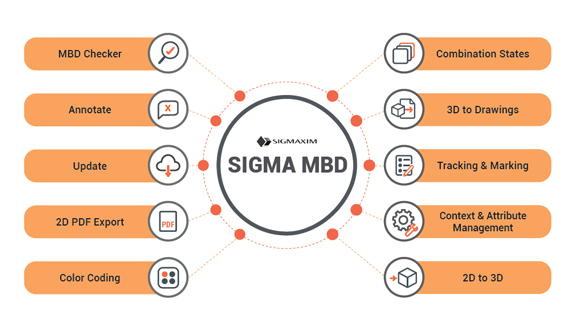
SIGMA MBD's MBD Checker validates models directly inside Creo against more than 300 predefined rules covering PMI, GD&T/GPS requirements, dimensions, notes, symbols, presentation standards, visibility, geometry semantics, and CAD modeling practices.

Potential issues can be identified early, allowing engineering teams to correct problems before they impact manufacturing, quality inspection, suppliers, or customers.

The result is greater confidence in your MBD data, fewer manual reviews, and more consistent deliverables across the organization.

Preserve Existing Investments

Transitioning to MBD does not mean abandoning years of engineering knowledge.

SIGMA MBD helps organizations leverage existing drawings, annotations, standards, and engineering data while moving toward a model-based environment. Automated 2D-to-3D and 3D-to-drawing capabilities support a gradual transition strategy that allows teams to adopt MBD at a pace that makes sense for their business.

Rather than forcing a disruptive change, SIGMA MBD enables organizations to evolve their processes while continuing to support current requirements.

Automate the Work That Slows Adoption

One of the biggest obstacles to MBD implementation is the amount of manual effort required to create, organize, validate, and maintain model-based information.

SIGMA MBD automates many of these repetitive tasks, including:

By reducing manual effort and enforcing company standards automatically, organizations can accelerate adoption while improving consistency and scalability.

A Practical Approach to MBD Adoption

Many MBD initiatives struggle because organizations focus on the destination rather than the preparation required to get there.

SIGMA MBD takes a practical, systematic approach to MBD adoption by helping organizations establish standards, improve model quality, automate repetitive processes, and leverage existing engineering data. Instead of forcing disruptive changes, SIGMA MBD helps companies build a solid foundation that supports long-term success.

Whether your goal is validating PMI, standardizing annotation practices, managing Combined States, converting legacy drawings, or preparing data for downstream consumption, SIGMA MBD provides the automation tools needed to move forward with confidence.

Built Specifically for Creo

SIGMA MBD is designed exclusively for Creo users and integrates directly into the Creo environment.

Because the tools are purpose-built for Creo workflows, organizations can leverage familiar processes while introducing powerful automation capabilities that improve efficiency, consistency, and long-term maintainability.

Whether you're taking your first steps toward MBD or expanding an existing initiative, SIGMA MBD helps transform MBD from a future goal into a practical reality.

Accelerate Your MBD Journey

Model-Based Definition success starts long before the first annotation is created.

Prepare your data. Standardize your processes. Improve model quality. Automate repetitive tasks.

This email address is being protected from spambots. You need JavaScript enabled to view it. and discover how SIGMA MBD can help your organization build a practical, scalable path to MBD—exclusively within Creo.


Download our SIGMA MBD flyer.
SmartHardware for Creo

Find and Fix Errors on the Fly

SmartHardware creates accurate Creo models and required features, using company approved hardware and manufacturing approved rules, with a high level of efficiency and limited user interaction.

Key Features

  • Flexible hardware model library options
    • Use your existing Creo hardware models
    • Use the library of hardware components included with SmartHardware
  • Combine the SmartHardware library with your existing library and customize to your unique requirements.
    • Add any hardware type to the library environment:
    • inserts, o-rings, gears, bearings, etc…
  • Allows development of local and regional DFMA rules for any design scenario.
  • Can be easily adapted to your environment and processes
  •  Works seamlessly with Windchill/PDMLink.

How It Works

  • User selects the type of hardware to be placed, placement location, and type.
  • SmartHardware offers applicable hardware options to the user
  • User selects the specific hardware and size to use
  • SmartHardware calculates the intersecting components based on user selections, and creates the necessary hole features(threaded, clearance, thru, etc.)
  • SmartHardware suggests additional fastening hardware when required by design rules.
  • User can override suggested design criteria by making additional selections as necessary.

Key Benefits

  • Allows standardization, yet flexible design for assembly of hardware
  • Designed for rapid customization and expansion to include all library parts
  • Key component in design standardization initiatives